Running Tests Inside Containers
Setup PhpStorm to run tests inside docker containers
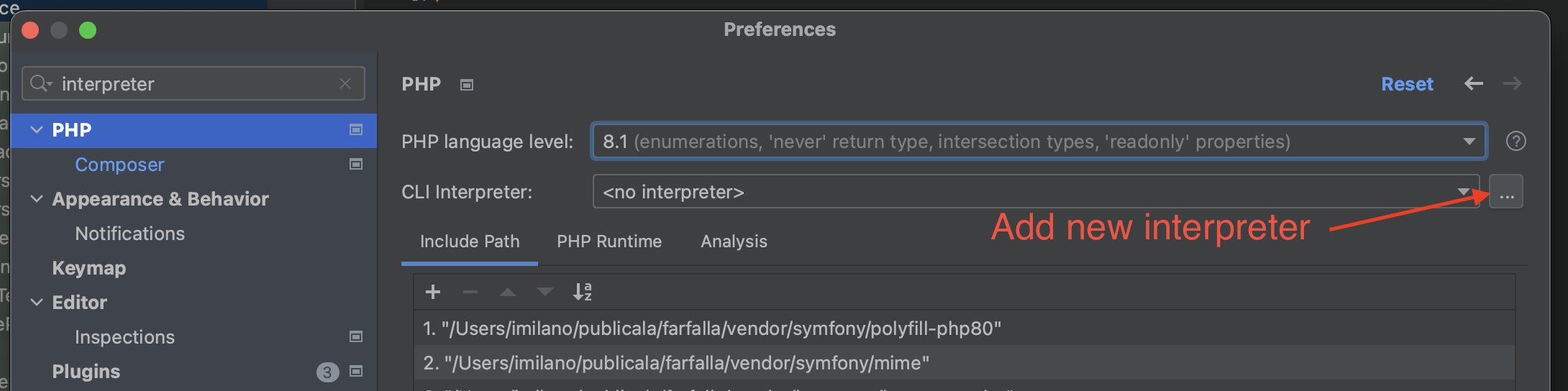
- Add a new CLI interpreter
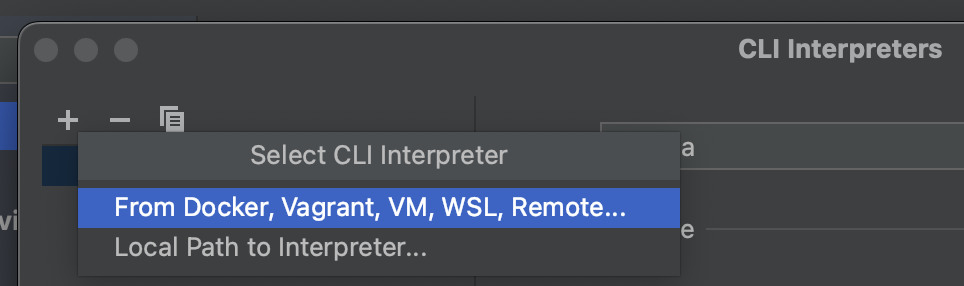
- Select From Docker, Vagrant, […]
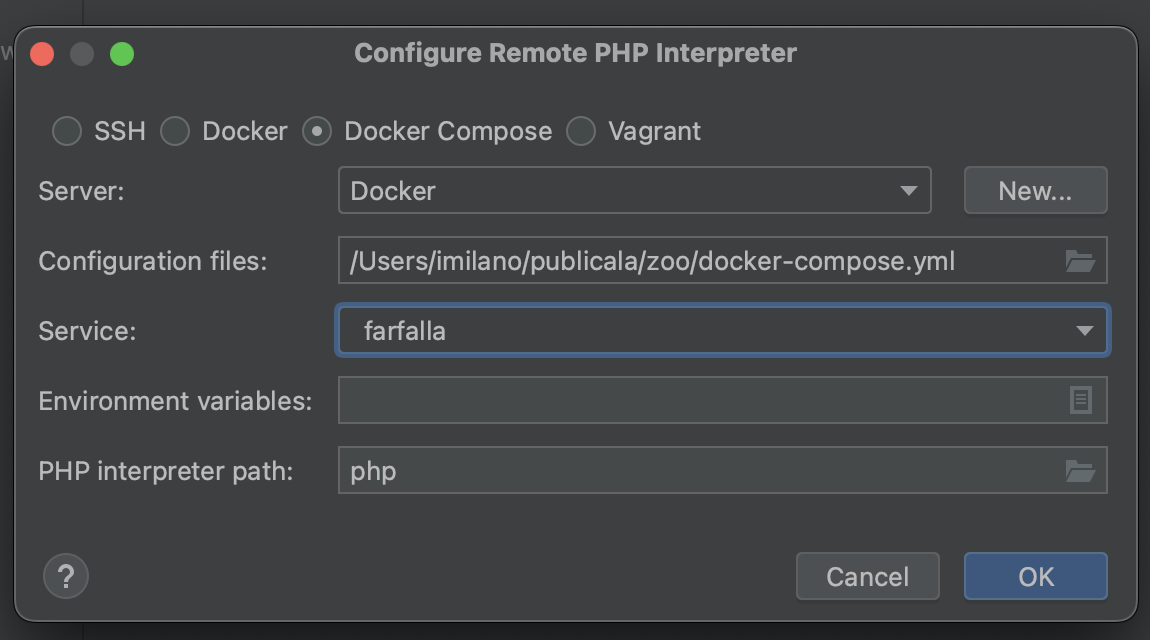
- Set type to "Docker compose"
- Point Configuration files path to Zoo's docker-compose.yml
- All the projects will be loaded in Service list. Select "farfalla" (or the corresponding project)
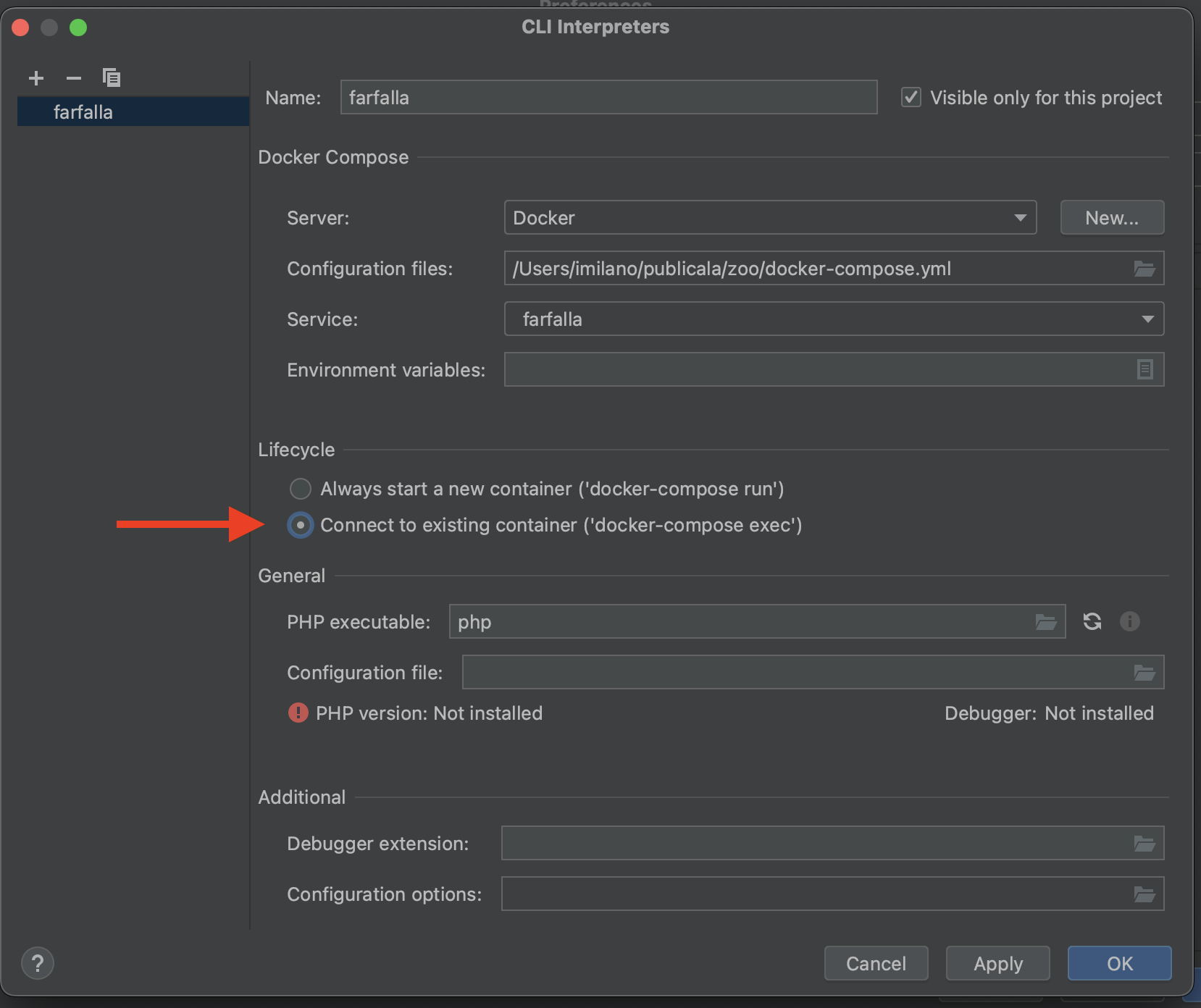
- After confirming and going back to CLI Interpreters, edit the Lifecycle configuration to connect to the existing container instead of starting a new one
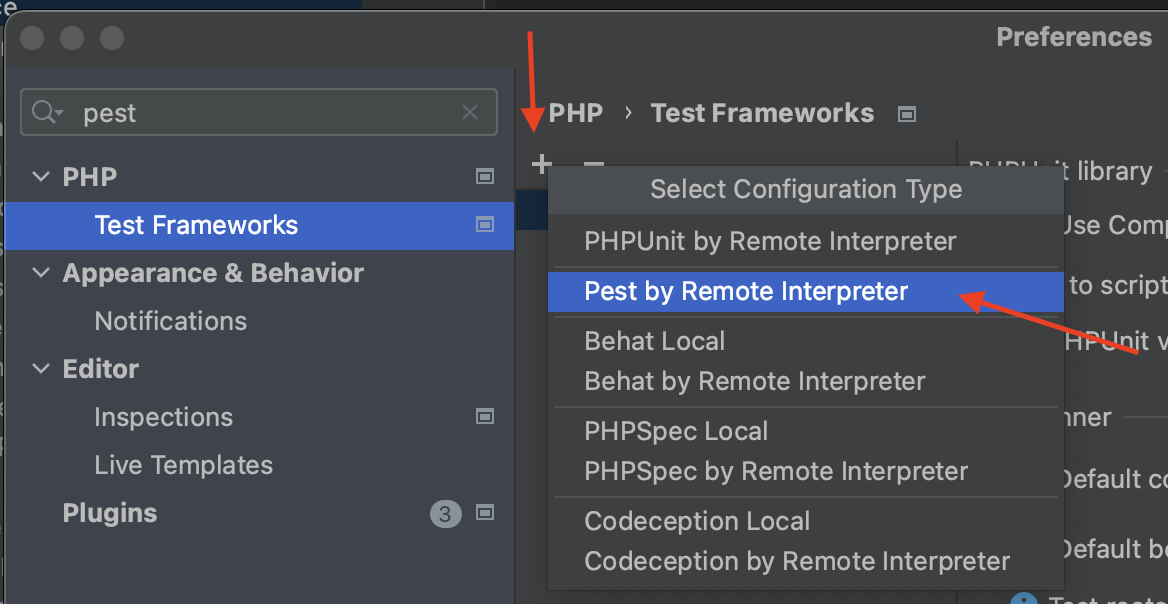
- Go to "Test frameworks" settings
- Add new (+)
- Select "Pest by Remote Interpreter"
- Select "farfalla" (or the corresponding project) interpreter you've just created
You can now run tests from PhpStorm IDE and those will run in the project's container