IDE Code Quality Setup
Configure your IDE to run linting/formatting on save. Hooks are a safety net - IDE integration is the primary workflow.
PhpStorm
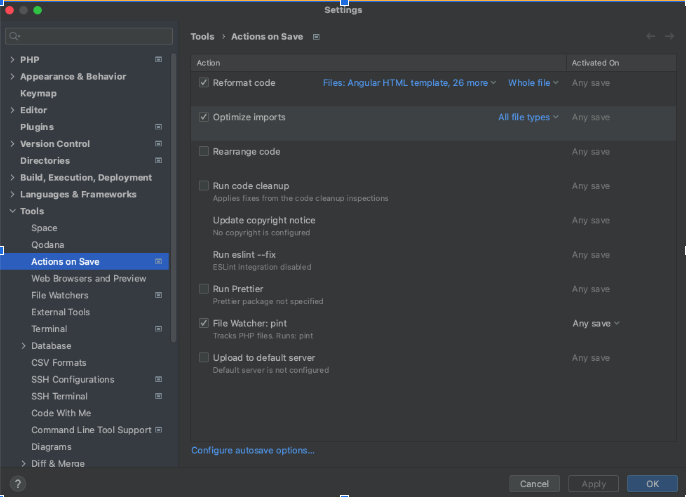
Duster File Watcher
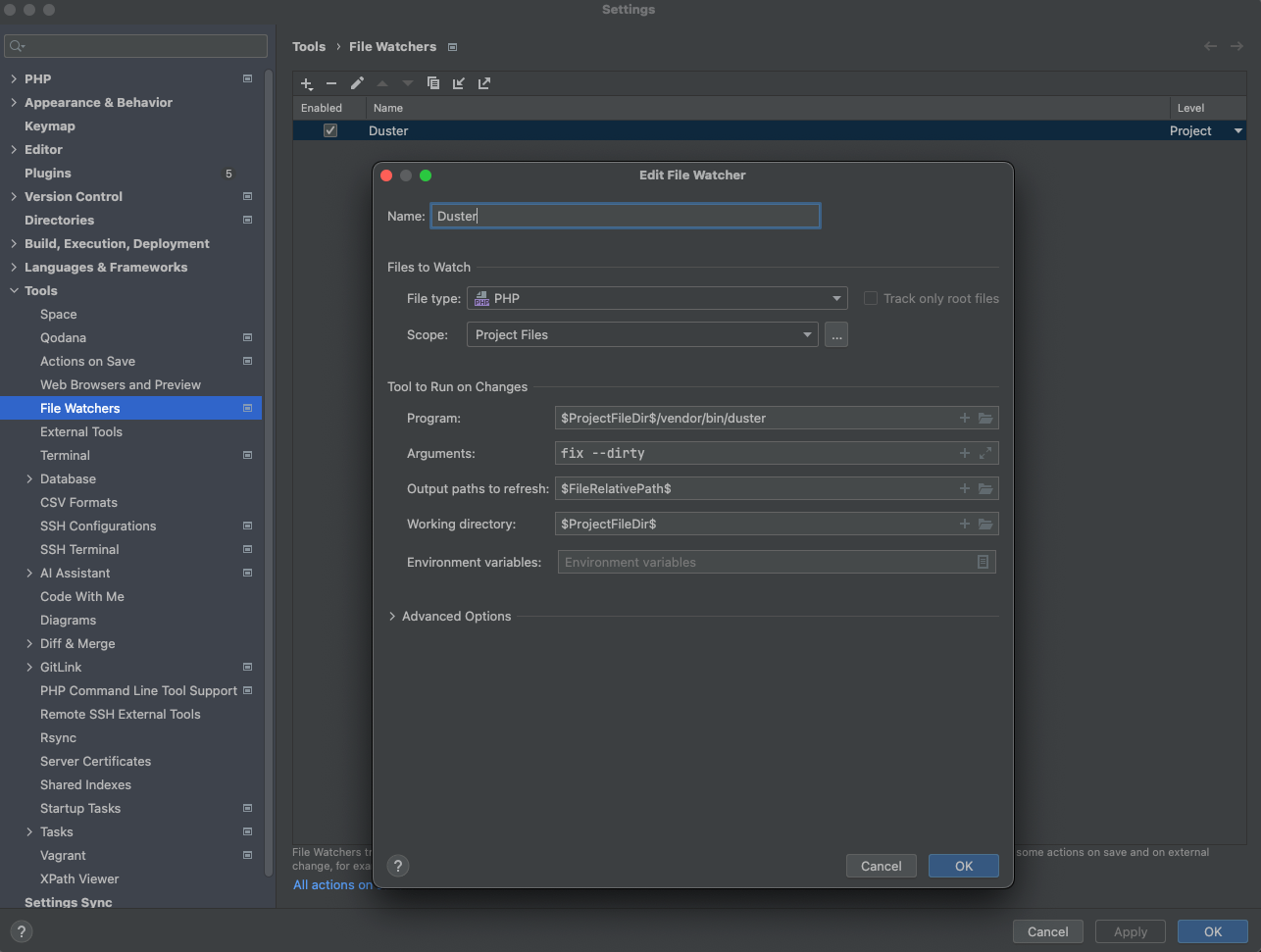
Set up a file watcher to run Duster on PHP files when saving:
-
Create a Duster file watcher
-
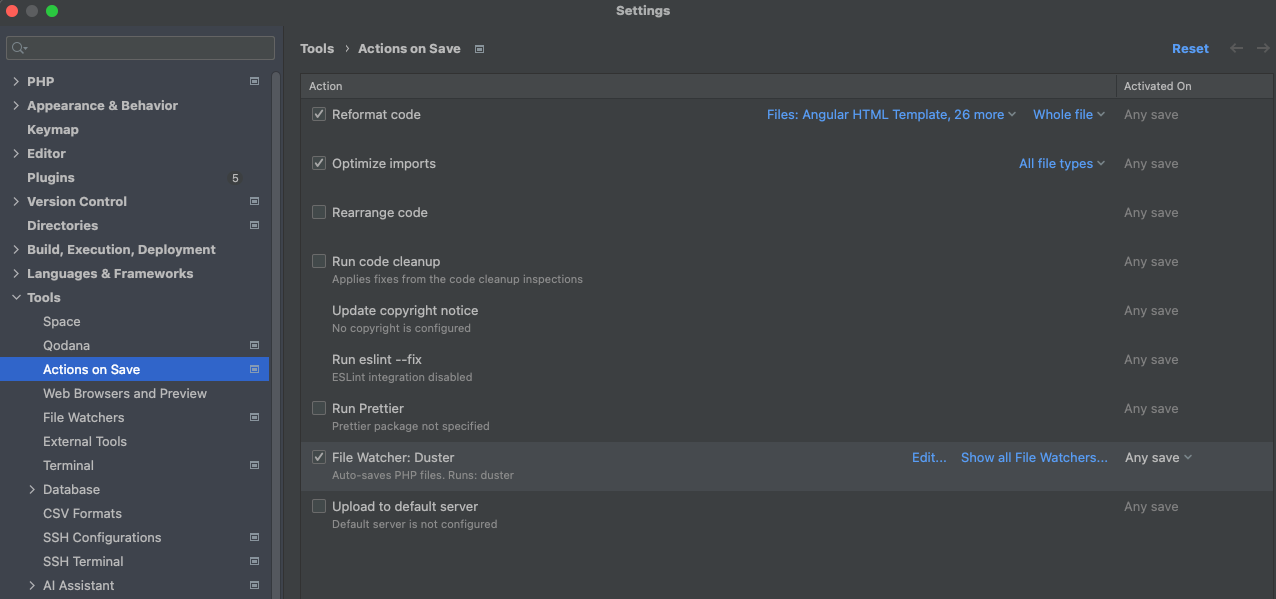
Enable it in "Actions on save"
-
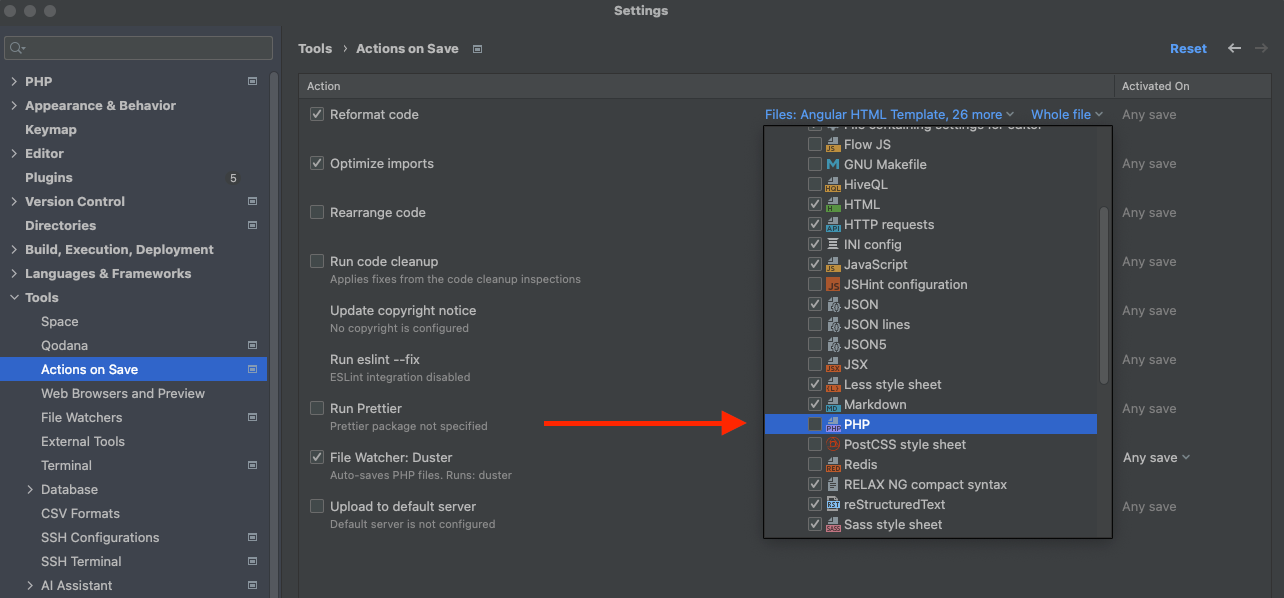
Make sure PHP is disabled from "Reformat code"
EditorConfig
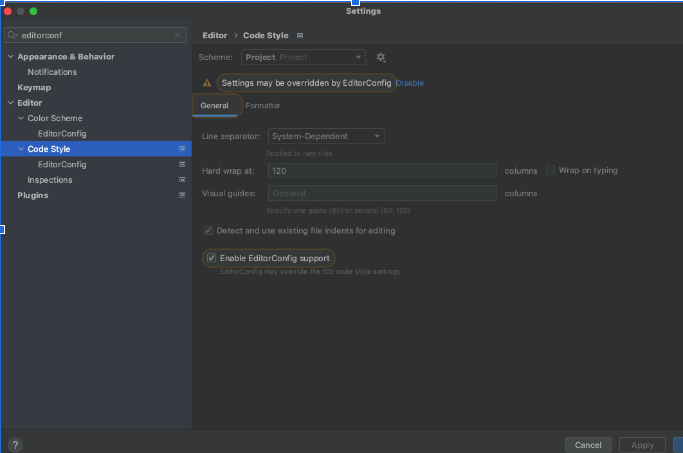
We use EditorConfig with the PhpStorm plugin for non-PHP code formatting.
-
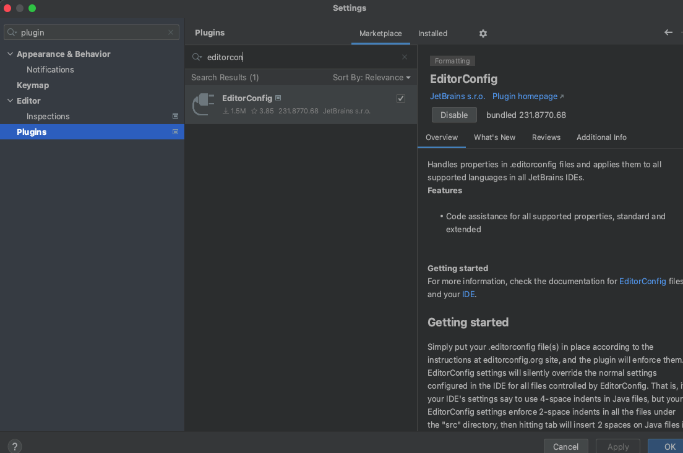
Enable the EditorConfig plugin in PhpStorm settings (may need to install if not present)
-
Each project has a
.editorconfigsymlink pointing to Zoo's centralized config:.editorconfig -> ../zoo/.editorconfig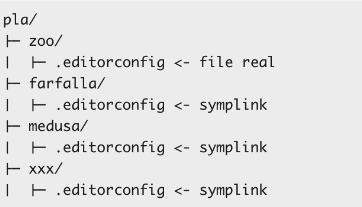
-
All editorconfig changes are made in Zoo - they propagate to all projects via symlinks
-
Enable "Reformat code" (except PHP) and "Optimize imports" on save:
Larastan (PHPStan)
PHPStan is not configured as an "on save" action because it's resource-intensive.
Run manually:
./vendor/bin/phpstan analyse
Fix issues:
./vendor/bin/phpstan analyse --fix
Generate baseline for existing code:
./vendor/bin/phpstan analyse --generate-baseline
Baseline is stored at phpstan-baseline.neon.
VS Code
Coming soon
Claude Code
Coming soon