URL Referrer
This integration allow make an automatic auth to specific user when this is from an URL added in configurations for these user.
Customer set referrer where user come from to login to store.
We use a GET rute in the platform. The route is:
https://{customer-store.com}/auth/referrer
Pre-requisites
Required for use:
- Have Unlimited or Revenue Share* plan
- Enabled feature "Login By Referrer"
*For Revenue Share plans, this integration can be configure after sold an external plan and is only configurable after the payment has been approved.
How does it work?
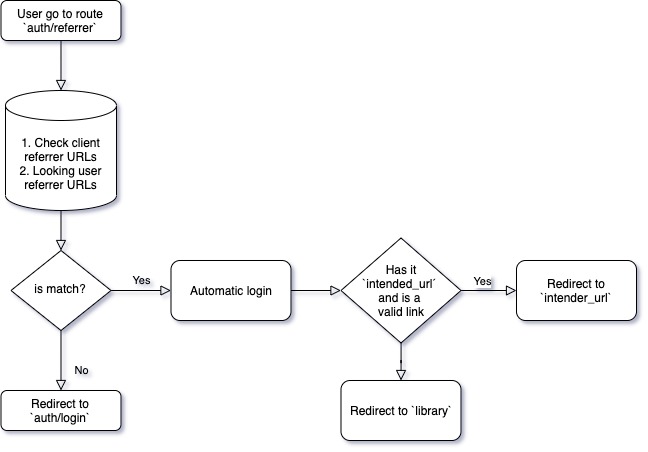
Auth Referrer allow to login automatically using a link without complete a login form. In this case we need set an URL referrer in an user that must to match with the referrer URL that user come from. Farfalla in your side know this and when found an URL referrer that match with user URL referrer come from, automatically selected this user for login.
Database relationship
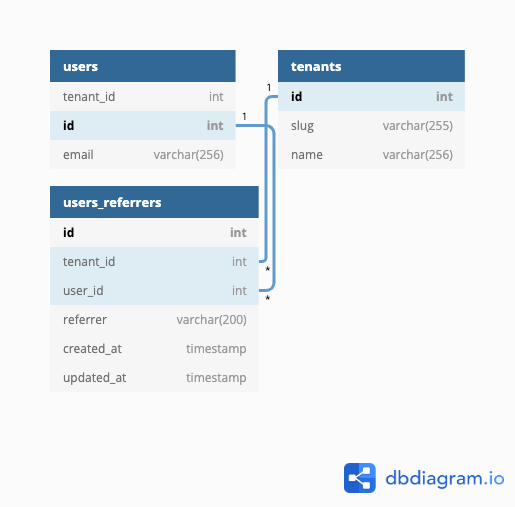
We have users_referrers table with model UserReferrer, with a relation many to one. The relation with user must be unique. https://dbdiagram.io/d/5ecfd2d939d18f5553ffe830
How to configure it?
We need to know the URL referrer where the user come from.
In the store:
- Activate feature
Login By Ipin tenant using nova. (Only for superadmins users) - Go to
control panel > userin tenant where you were activated the feature - Create a new user or select one
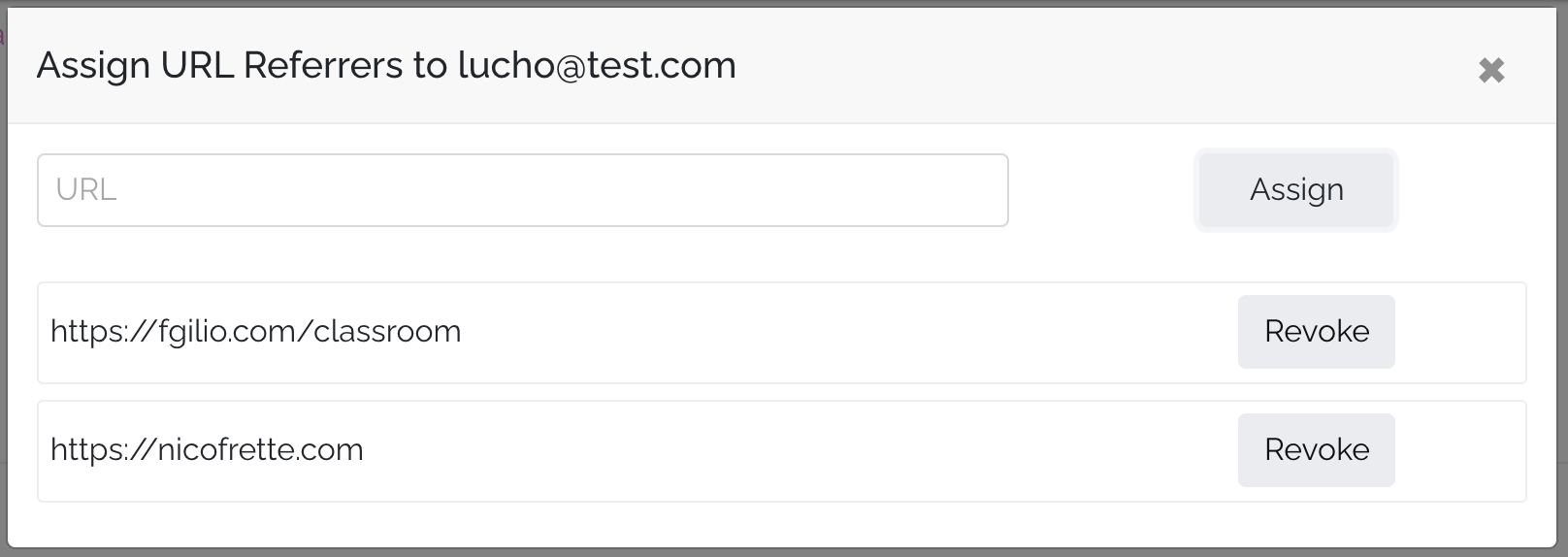
- Select the user and set the URL or URLs that will come from the user
Assing URL referrersin the secondary menu.
The referrer is the URL where an user come from. Example. When you press a button in
https://google.comtohttps://app.publica.la, the app understand that user come fromhttps://google.comAlso the referrer can be more specific, ex.
https://google.com/some-path/classroomYou need to take account new changes in Chrome related Referrer Policy
In the client login button added in the place when the user come from:
- Make a button or Hyperlink
- Set route
https://your-tenant.com/auth/referrerlike link in the button
<a href="https://your-tenant.com/auth/referrer">Login User</a>
<button type="button" onclick="loginUser()">Login User</button>

<script>
  function loginUser() {
    return (window.location.href = 'https://your-tenant.com/auth/referrer');
  }
</script>
- You can set
intended_urlto redirect user to specific URL inside store, for ex. publication link or specific filter. For this, you must add to the linkintended_urllike query parameter.
<a
  href="https://your-tenant.com/auth/referrer?intended_url=https://your-tenant.com/reader/publication-name"
  >Login User</a
>
<button type="button" onclick="loginUser()">Login User</button>

<script>
  function loginUser() {
    return (window.location.href =
      'https://your-tenant.com/auth/referrer?intended_url=https://your-tenant.com/reader/publication-name');
  }
</script>
The configurations can we make for regular admins.
You can get referrer URL only copy the URL when the button is added.
Troubleshooting
We have some regular troubleshooting related wrong URLs configuration.
For know what happen this, when the user press button for login, instead of autimatic login, we will show the login form.
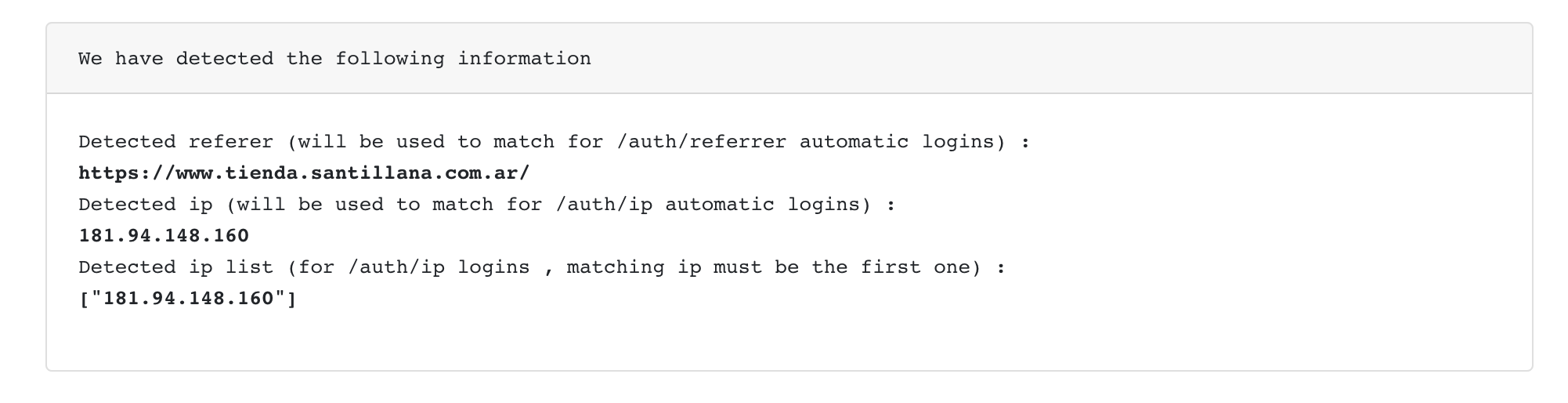
For check the configuration, you can add to url query ?debug=true for know URL referrer where come from these user.
https://your-tenant.com/auth/referrer?debug=true
When you use this URL you should see the follow screen show with date for know if the user are configured with correct IPs.